
github
🎯Skillfrom clawdbot/clawdbot
 |
|Retrieves, analyzes, and provides insights about GitHub repositories, issues, pull requests, and user activities using GitHub's API.
Installation
npx skills add https://github.com/clawdbot/clawdbot --skill githubSkill Details
Overview
# 🦞 Clawdbot — Personal AI Assistant
EXFOLIATE! EXFOLIATE!





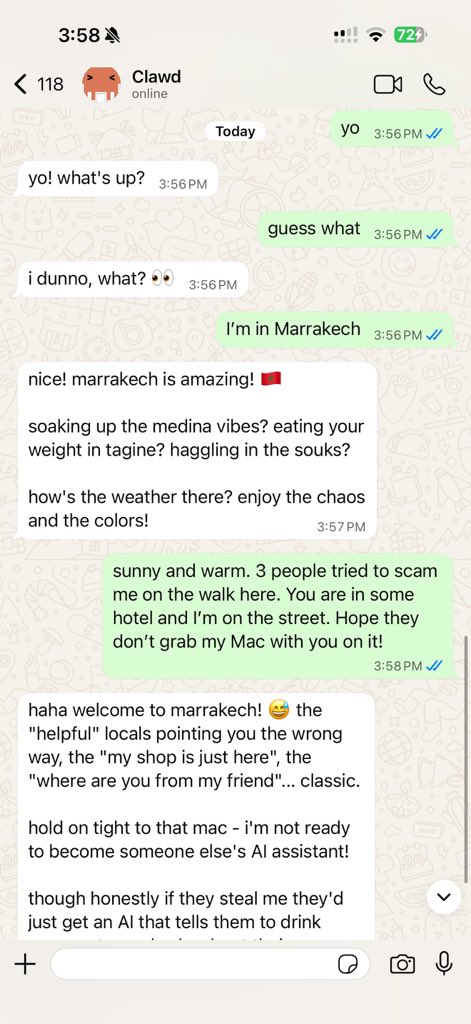
Clawdbot is a personal AI assistant you run on your own devices.
It answers you on the channels you already use (WhatsApp, Telegram, Slack, Discord, Google Chat, Signal, iMessage, Microsoft Teams, WebChat), plus extension channels like BlueBubbles, Matrix, Zalo, and Zalo Personal. It can speak and listen on macOS/iOS/Android, and can render a live Canvas you control. The Gateway is just the control plane — the product is the assistant.
If you want a personal, single-user assistant that feels local, fast, and always-on, this is it.
[Website](https://clawdbot.com) · [Docs](https://docs.clawd.bot) · [Getting Started](https://docs.clawd.bot/start/getting-started) · [Updating](https://docs.clawd.bot/install/updating) · [Showcase](https://docs.clawd.bot/start/showcase) · [FAQ](https://docs.clawd.bot/start/faq) · [Wizard](https://docs.clawd.bot/start/wizard) · [Nix](https://github.com/clawdbot/nix-clawdbot) · [Docker](https://docs.clawd.bot/install/docker) · [Discord](https://discord.gg/clawd)
Preferred setup: run the onboarding wizard (clawdbot onboard). It walks through gateway, workspace, channels, and skills. The CLI wizard is the recommended path and works on macOS, Linux, and Windows (via WSL2; strongly recommended).
Works with npm, pnpm, or bun.
New install? Start here: [Getting started](https://docs.clawd.bot/start/getting-started)
Subscriptions (OAuth):
- [Anthropic](https://www.anthropic.com/) (Claude Pro/Max)
- [OpenAI](https://openai.com/) (ChatGPT/Codex)
Model note: while any model is supported, I strongly recommend Anthropic Pro/Max (100/200) + Opus 4.5 for long‑context strength and better prompt‑injection resistance. See [Onboarding](https://docs.clawd.bot/start/onboarding).
Models (selection + auth)
- Models config + CLI: [Models](https://docs.clawd.bot/concepts/models)
- Auth profile rotation (OAuth vs API keys) + fallbacks: [Model failover](https://docs.clawd.bot/concepts/model-failover)
Install (recommended)
Runtime: Node ≥22.
```bash
npm install -g clawdbot@latest
# or: pnpm add -g clawdbot@latest
clawdbot onboard --install-daemon
```
The wizard installs the Gateway daemon (launchd/systemd user service) so it stays running.
Quick start (TL;DR)
Runtime: Node ≥22.
Full beginner guide (auth, pairing, channels): [Getting started](https://docs.clawd.bot/start/getting-started)
```bash
clawdbot onboard --install-daemon
clawdbot gateway --port 18789 --verbose
# Send a message
clawdbot message send --to +1234567890 --message "Hello from Clawdbot"
# Talk to the assistant (optionally deliver back to any connected channel: WhatsApp/Telegram/Slack/Discord/Google Chat/Signal/iMessage/BlueBubbles/Microsoft Teams/Matrix/Zalo/Zalo Personal/WebChat)
clawdbot agent --message "Ship checklist" --thinking high
```
Upgradi
More from this repository10
Plays a playful interactive game where the bot hides and reveals itself, mimicking the classic children's peekaboo game.
Captures, organizes, and syncs personal notes using Bear note-taking app, allowing seamless integration with Clawdbot's AI assistant.
Manages and interacts with Things 3 (a macOS task management app) by retrieving, creating, and updating tasks and projects.
Tracks and reports detailed usage metrics for AI model interactions, including token consumption, request types, and cost analysis.
Manages and controls tmux terminal multiplexer sessions, allowing users to create, attach, detach, and manipulate multiple terminal windows and panes through Claude Code interactions.
Synchronizes and manages Obsidian markdown notes across devices, enabling seamless note-taking and knowledge management through Claude AI interactions.
Retrieves and provides game details, pricing, and availability information from the GOG (Good Old Games) digital game platform.
Synchronizes and manages Notion pages, databases, and content directly within the Clawdbot personal AI assistant interface.
Enables Clawdbot to interact with and send/receive messages through Slack channels and workspaces.
Retrieves current weather conditions and forecasts for a specified location using a weather API.